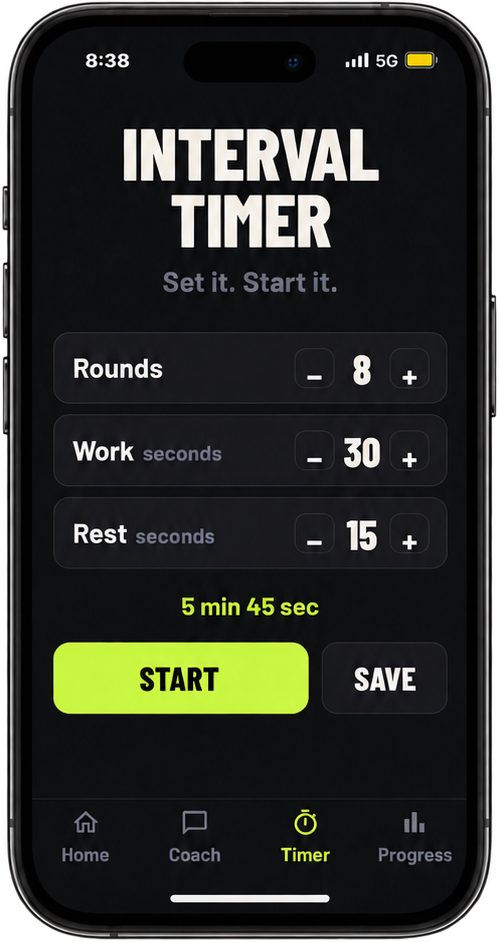
Set the intervals and start.
Choose rounds, work and rest—or start a saved timer. The timer is free.
Set rounds, work and rest—or start a saved timer. Harper calls out each exercise, countdown and rest period as you train. When you want a workout built around today, tell Harper your time, energy, equipment and goal.
Tell Harper your time, energy, equipment and training goal. It creates an interval workout you can review, start and follow with spoken coaching.
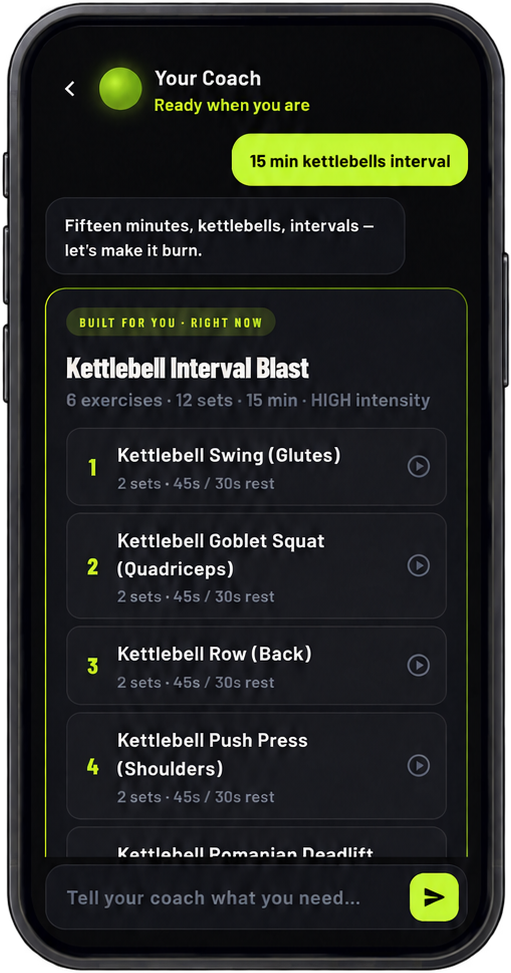
Try a few constraints to see an illustrative preview. The site demo is not connected to Harper; workouts are generated in the Harper app and vary with your request.
Time
Energy
Equipment
Focus
Illustrative sample only. Harper builds workouts in the app; exercise choices vary by request.
Illustrative work interval
Start immediately with the timer. When you want a plan, Harper builds an interval workout and carries it into a coached session.
Choose rounds, work and rest—or start a saved timer. The timer is free.
Tell Harper your mood, time, equipment or training goal in plain language.
Harper keeps the session moving with timing and clear spoken coaching.
Start with what you have time and energy for. Add a goal or equipment if it helps.
“20 minutes, low energy.”Time + energy
“Quick legs. No equipment.”Goal + equipment
“I want to work on basketball conditioning.”Training goal
“Surprise me.”Let Harper choose
When you want to build a rhythm, Harper can help you plan, follow along and see what you’ve done.
Tap an exercise to view a demo and step-by-step cues before or during your workout.
Ask Harper to build a week of workouts, then place sessions on the days that suit you.
Check Plan my week, see your history, follow your streak, and save workouts you want to revisit.
Start with the free interval timer, or ask Harper to build a workout around today.
No. Start immediately with the free interval timer. When you want a workout, tell Harper what you need and follow the coached session.
No. Ask for a bodyweight workout or tell Harper what equipment you have.
Health Connect results are available in the Android app only. On Android, after you complete and save a workout in Harper, a compatible device or source may write that same exercise session and available heart-rate or active-calorie samples to Health Connect. Timing and available metrics depend on the source; not every device provides every metric. Harper does not show unrelated watch workouts.
Harper: Workout Coach is available now on iPhone and Android. Download it from the App Store or Google Play.